ParaPrep
ParaPrep Features for Paramedic Revision
Build a repeatable revision routine with tools for selecting a topic, answering questions, reviewing mistakes and deciding where your next study session should begin.
Get started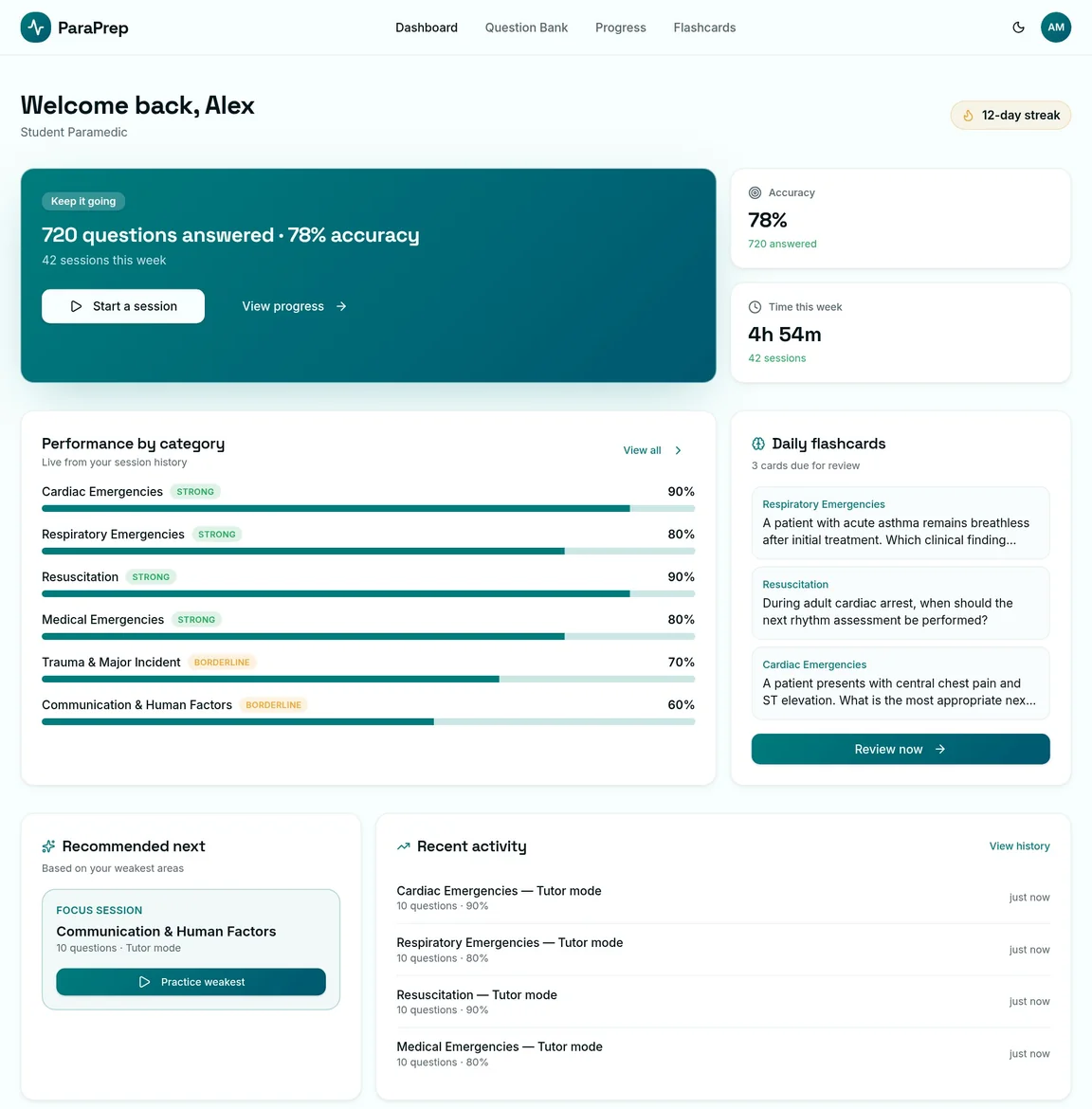
Choose a session with the Question Bank filters
Start by selecting the material that matches your current learning goal. The Question Bank lets you filter clinical categories, difficulty, registrant status, source and question status, then choose how many questions to study. That is useful when you want a focused session instead of a broad selection. Filters also make it easier to return to flagged or previously incorrect questions. The platform separates selection from answering, so you can set the direction of your study before moving into a Tutor Mode or Test Mode session.
Learn immediately or review at the end
Tutor Mode reveals feedback when you choose an answer. The answer stays locked, explanations are available inline, and previous-question navigation restores what you originally selected. Test Mode takes a different approach by holding feedback until the end of a timed session. Both approaches support revision, but they suit different goals: investigating reasoning as you go or checking what you can recall before seeing an explanation. Results show performance by category and difficulty, giving you more context than a single overall percentage.
Keep useful learning points close to the question
The question tools let you flag an item, save a personal note, add it to flashcards and report a concern about its content. After a Tutor Mode answer, you can read the question discussion and contribute your own comment. Comments are not revealed before answering, keeping the initial choice separate from what others have written. Answer comparison percentages also appear after selection, showing the distribution of recorded attempts. Discussion and comparison are learning aids; they do not replace the explanation, current guidance or a qualified clinical judgement.
Revisit material with flashcards and progress tracking
Flashcards provide a second way to return to completed question material, including daily revision from your dashboard. Progress views show category performance and coverage, while the dashboard can recommend a Tutor Mode focus session in a weaker area. Rather than using progress as a verdict on ability, use it to identify topics worth revisiting. A short session on an uncertain category may be more useful than repeating a familiar one simply to maintain a high score. Your recorded history helps connect separate study sessions over time.
Turn completed study into CPD records
The CPD generator offers two distinct documents: a one-page summary certificate and a reflective learning entry. The summary draws together completed activity within your chosen date range. The reflective entry adds prompts and fillable space for your own notes, which can be completed in a compatible PDF reader. These documents can sit alongside other learning evidence, but are not accredited qualifications or guarantees of regulatory acceptance. ParaPrep is an independent educational platform for student paramedics and ambulance clinicians, used alongside course teaching, practical training and approved clinical guidance.